
01
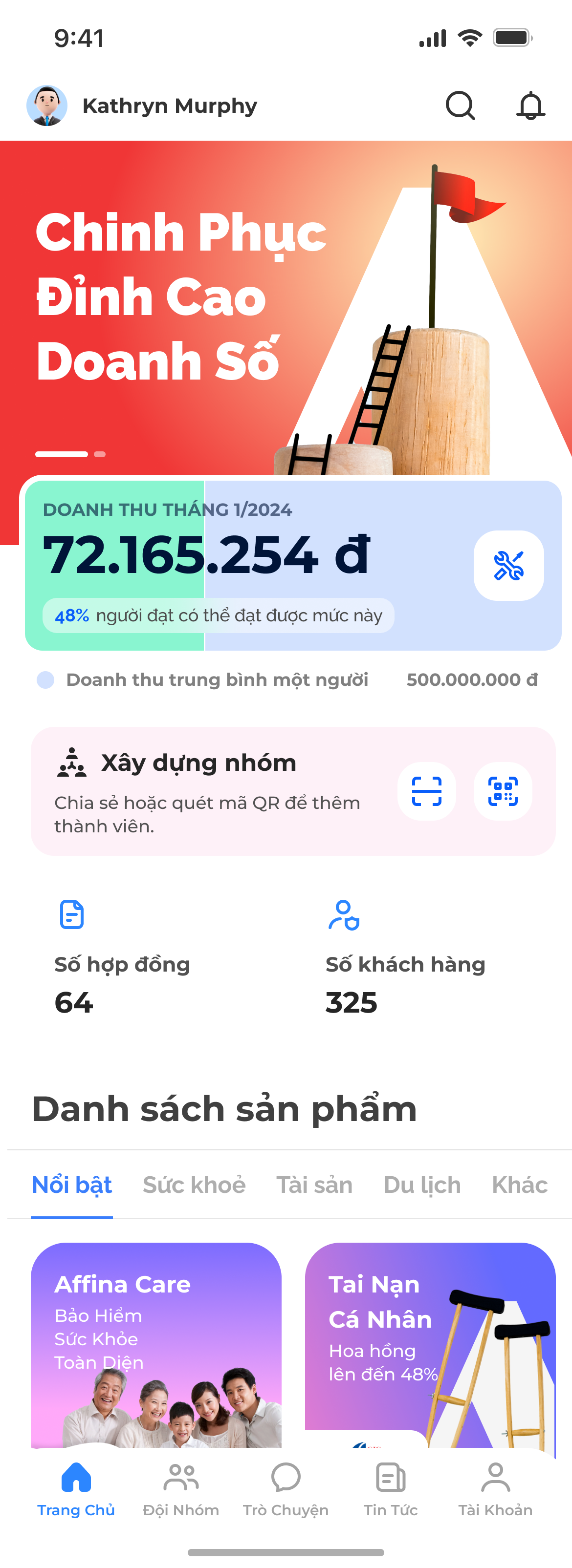
Sales dashboard
Start from the partner workspace and product catalogue.
Scroll screen · open full ↗
Role
UI/UX Designer
Scope
Affina Pro, web app, responsive states, edge cases
Status
LiveOutcome
One scalable multi-insured journey across assisted and self-service channels
This flow expanded the insurance journey from one insured person to multiple insured people under the same contract across Affina Pro and Web.
My role was to work with BA, Business Owner, Product, and IT to clarify requirements, translate rules into user flows, design UI states, and prepare implementation-ready handoff.
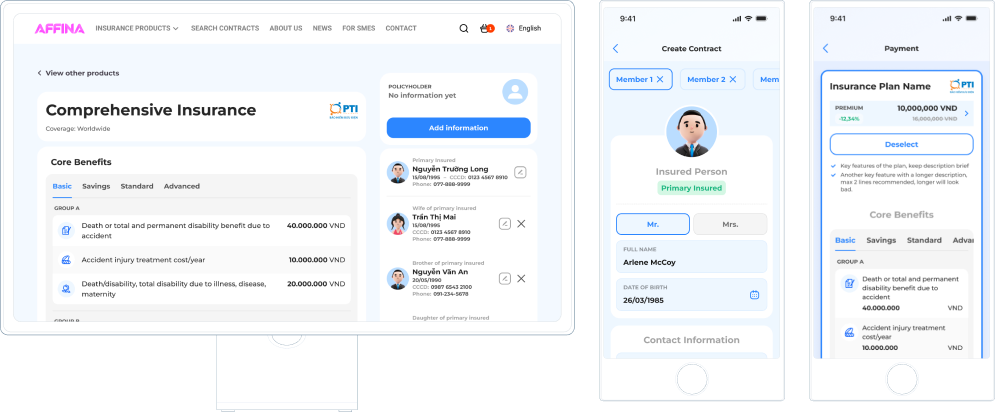
People were not only buying for themselves. They were buying for a spouse, child, parent, or another family member.
FAMILY RELATIONSHIP
Self → Spouse → Child → Parent / other family member
The same family-insurance model had to work for both sales-assisted and self-service channels.
Age · Relationship · Eligibility · Pricing
Different benefits for each member — optimized for the whole family.
The right benefits for the right person, at the right price.
Self
Primary insured
Health check · Telehealth
Spouse
Partner
Maternity · Outpatient
Child
Dependent
Pediatric care · Accident
Parent
Dependent
Chronic care · Inpatient
Each member may have different health needs and benefit preferences.
Affina Pro · Sales-assisted
Sales can move from product discovery to a complete family application while every insured member remains visible and editable.
Start from the partner workspace and product catalogue.
Scroll screen · open full ↗

Explain the offer, commission and core benefits before setup.
Scroll screen · open full ↗
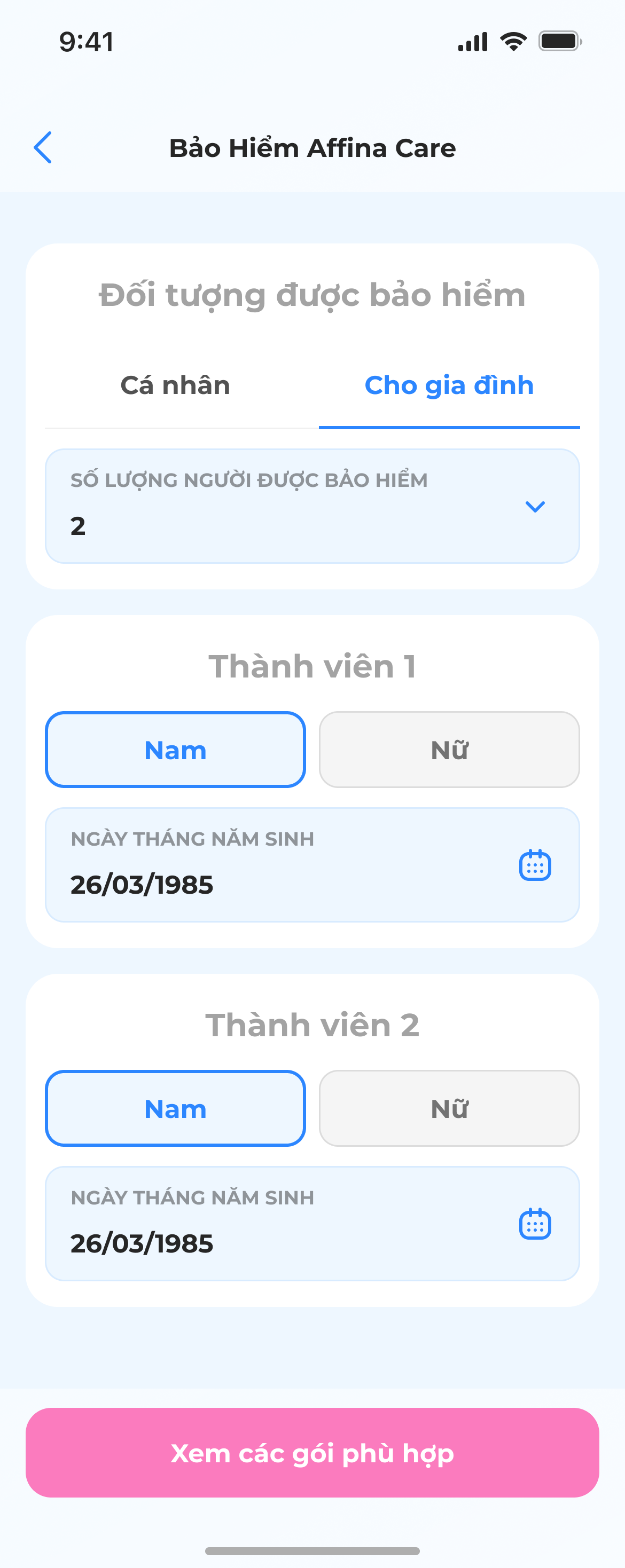
Capture the household structure and insurance needs.
Scroll screen · open full ↗

Compare eligible plans without losing the family context.
Scroll screen · open full ↗
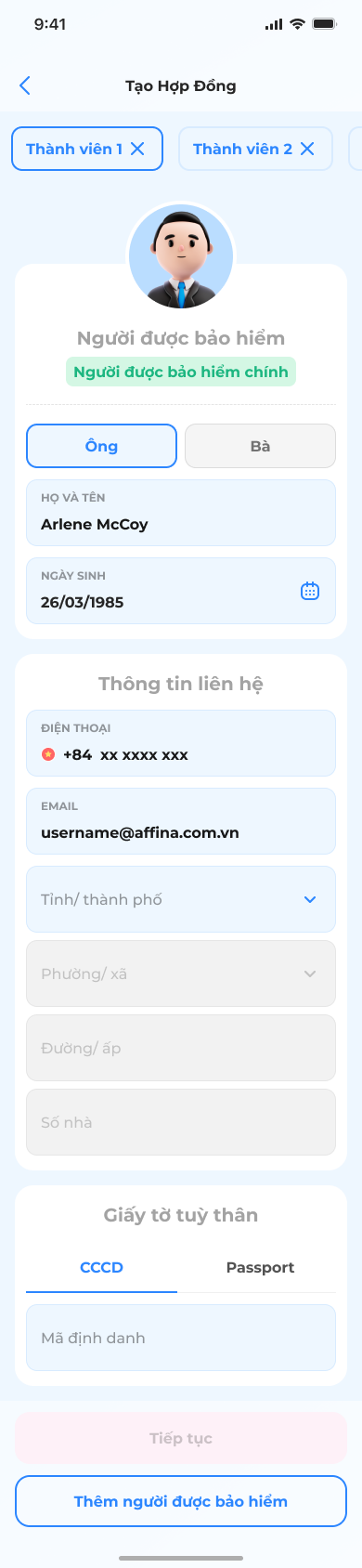
Configure coverage and benefits for the selected plan.
Scroll screen · open full ↗
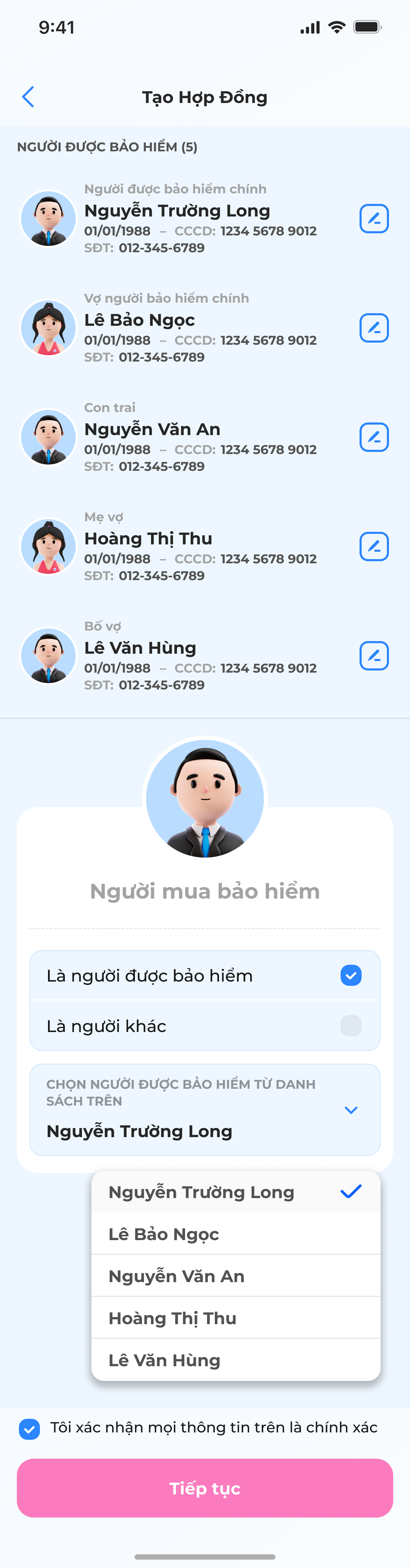
Add the buyer and connect each insured family member.
Scroll screen · open full ↗
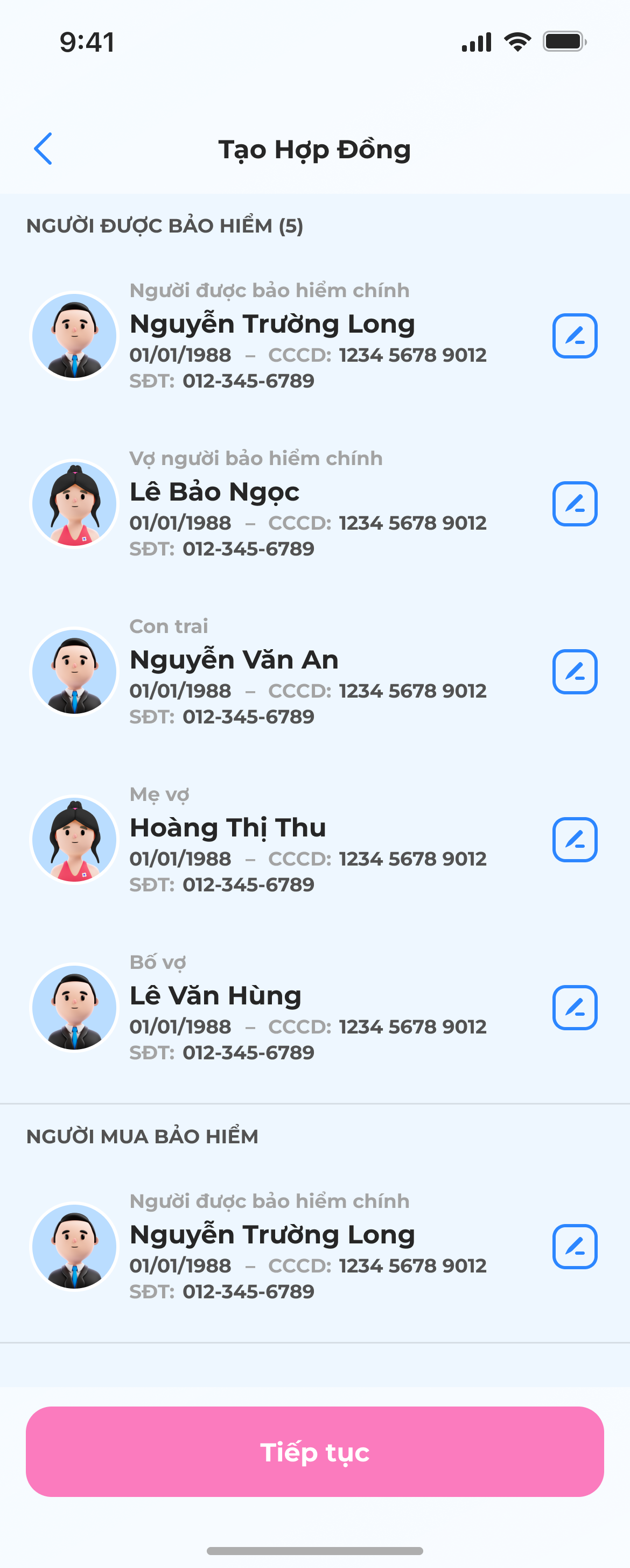
Check every person, relationship and required detail together.
Scroll screen · open full ↗

Complete the purchase with a consolidated family premium.
Scroll screen · open full ↗
Website · Self-service
The same family model is translated to self-service with stronger guidance, explicit progress and a single review surface.
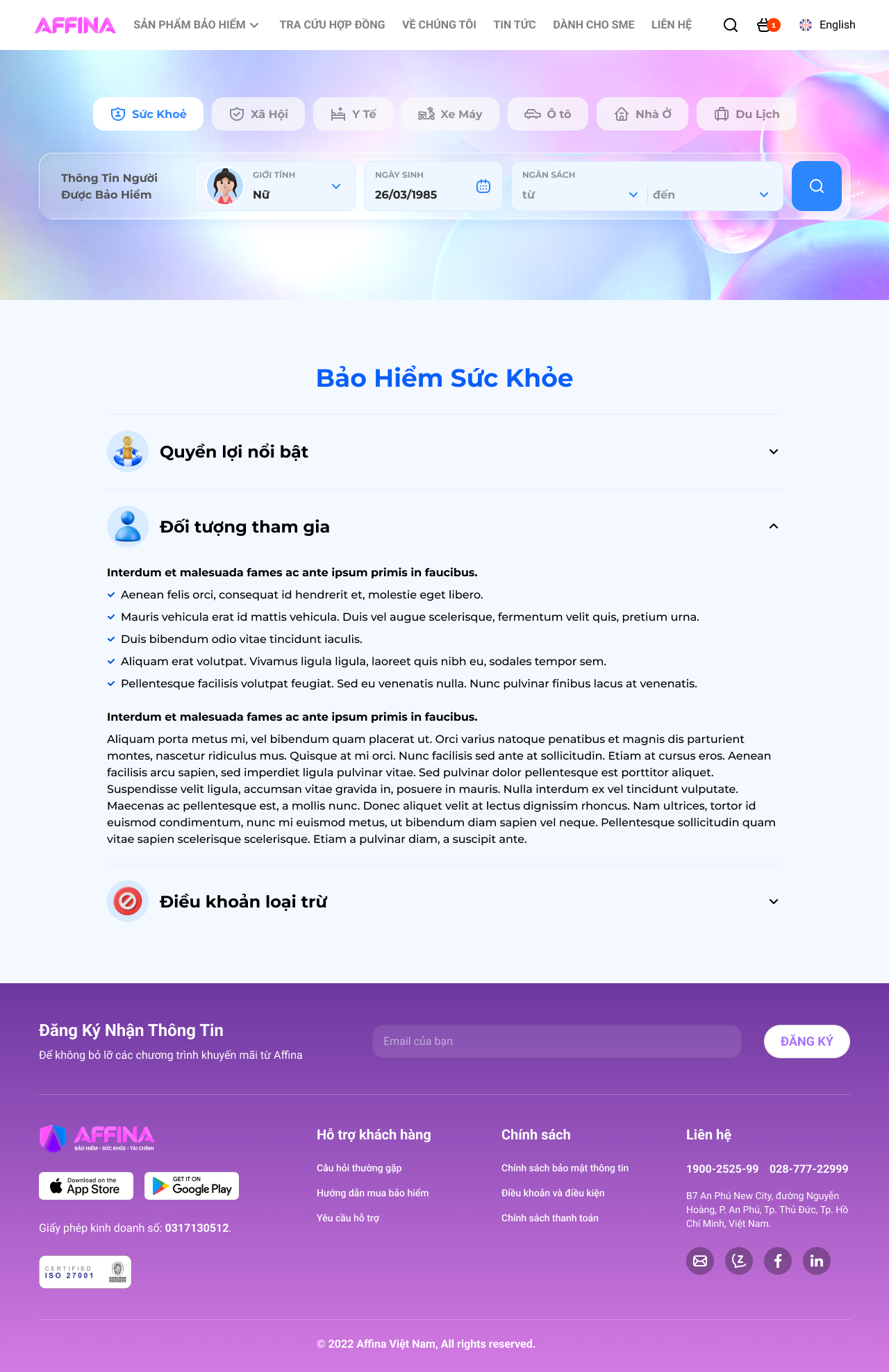
Enter the health-insurance catalogue from the public website.
Scroll screen · open full ↗
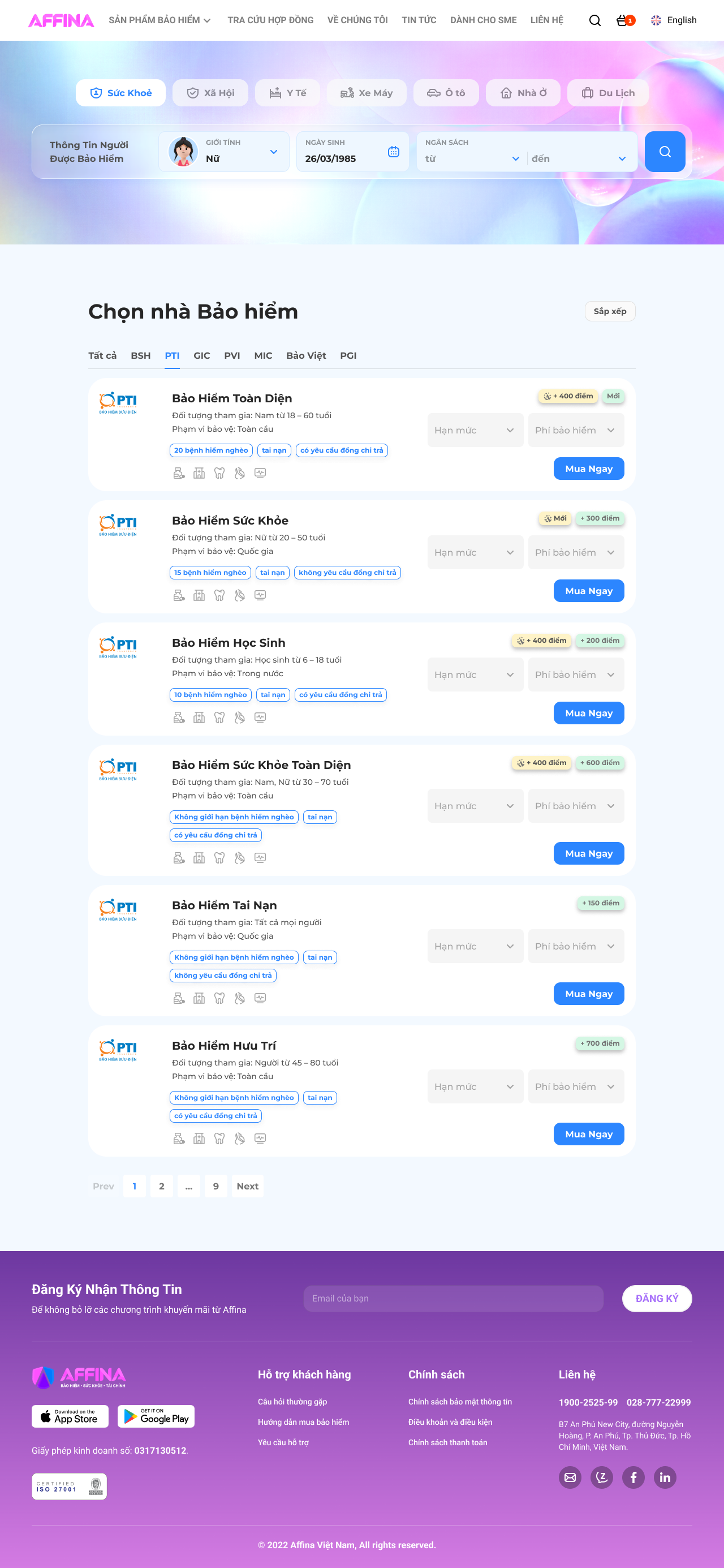
Use age, gender and budget to narrow eligible options.
Scroll screen · open full ↗
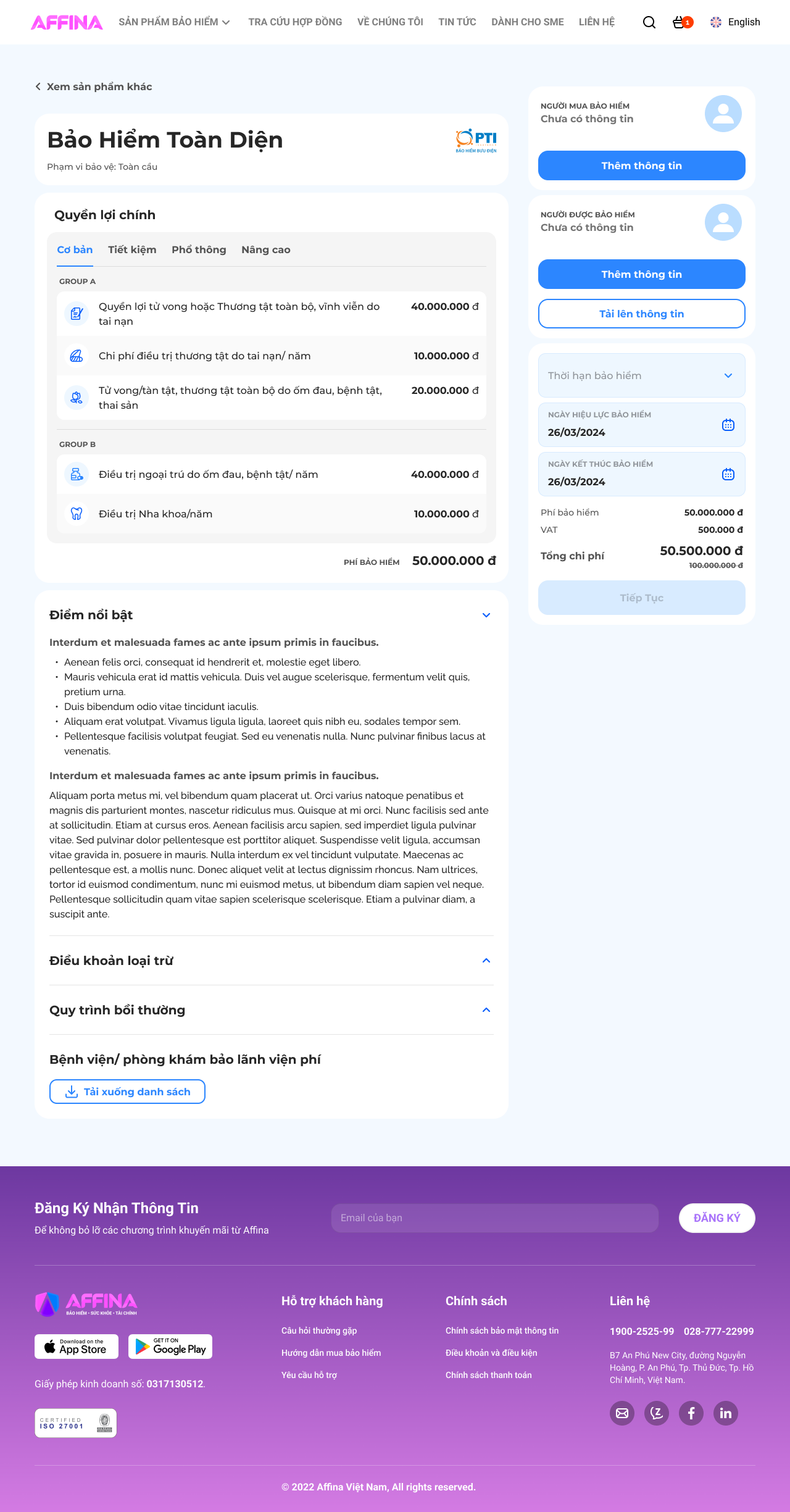
Understand benefits, exclusions and the target customer.
Scroll screen · open full ↗
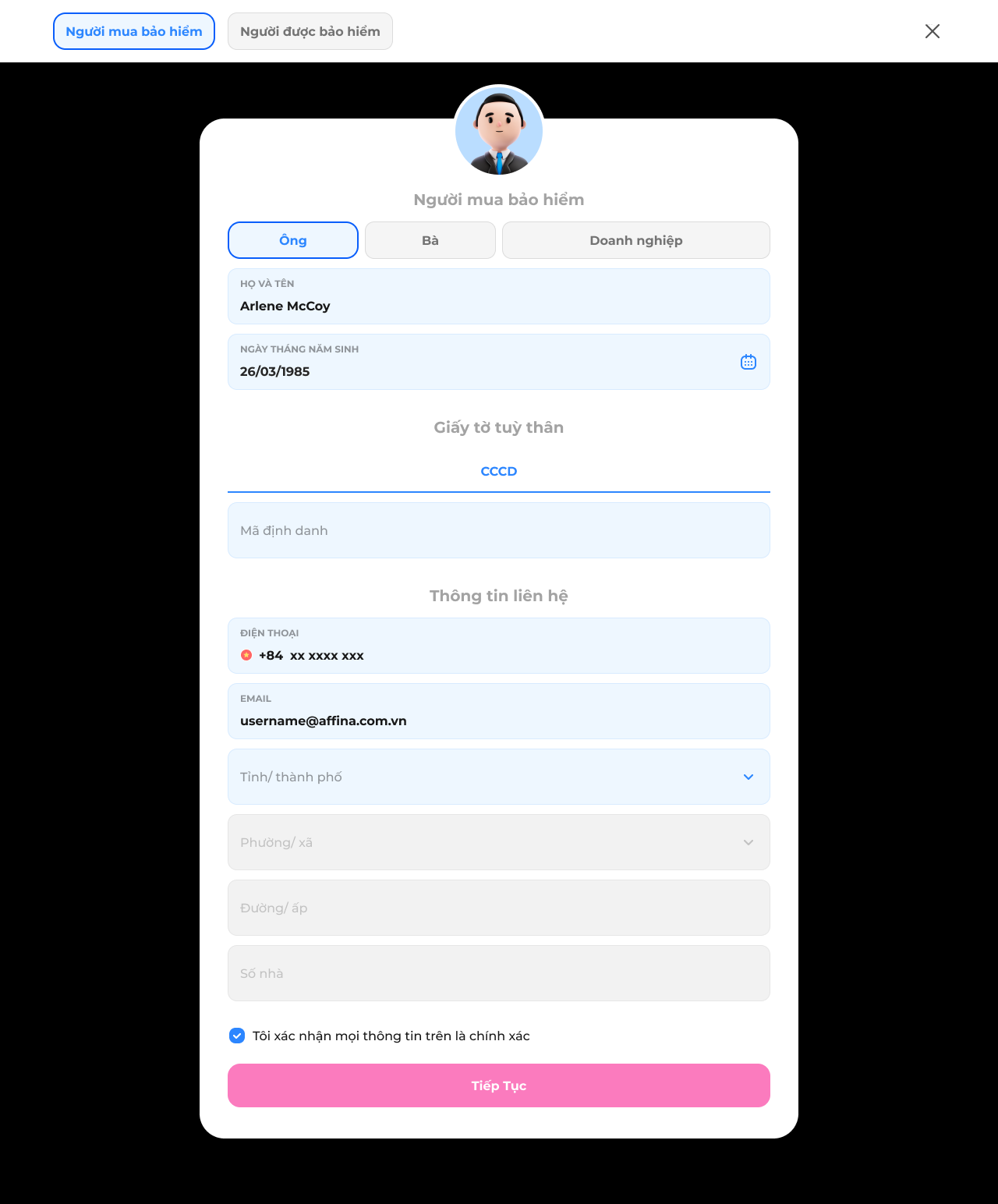
Capture individual or business policyholder information.
Scroll screen · open full ↗
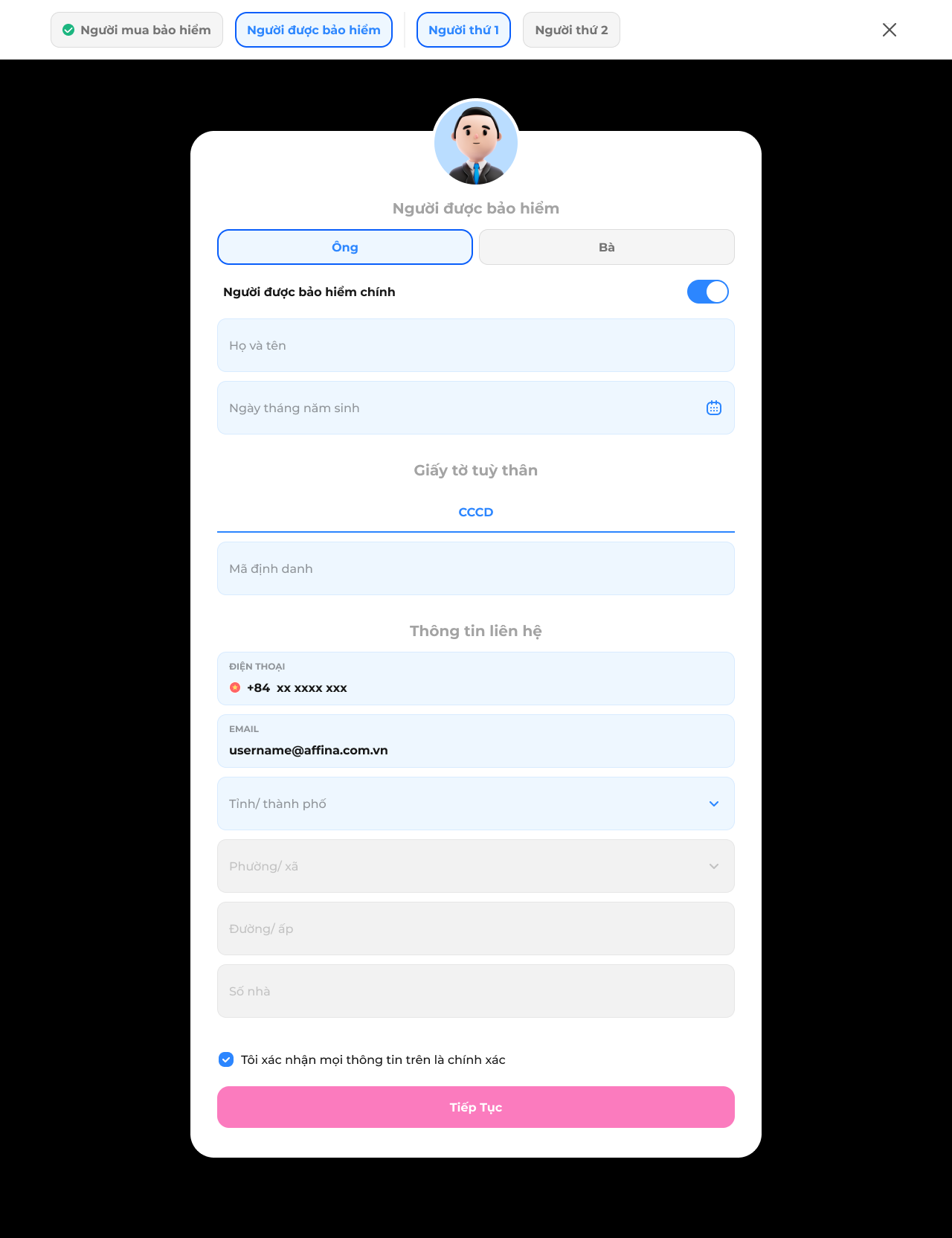
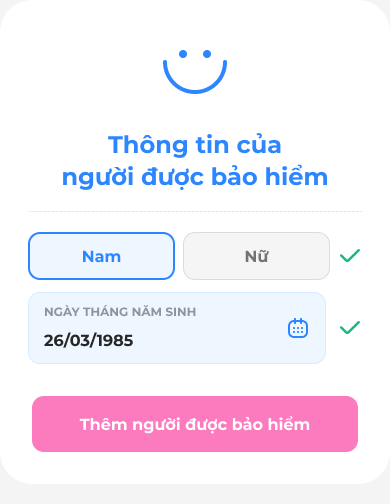
Build the family group one insured person at a time.
Scroll screen · open full ↗
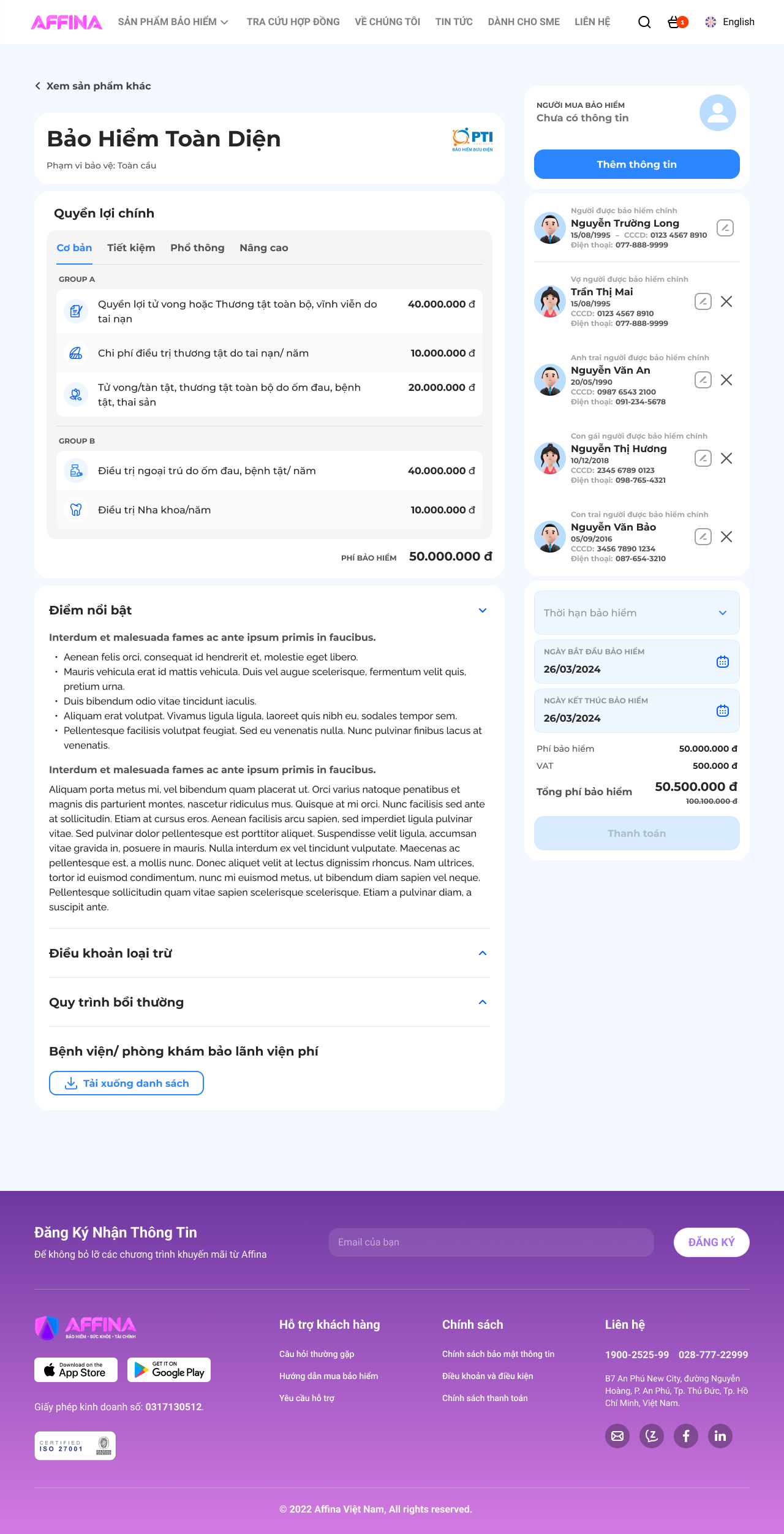
Surface missing data before the family can continue.
Scroll screen · open full ↗
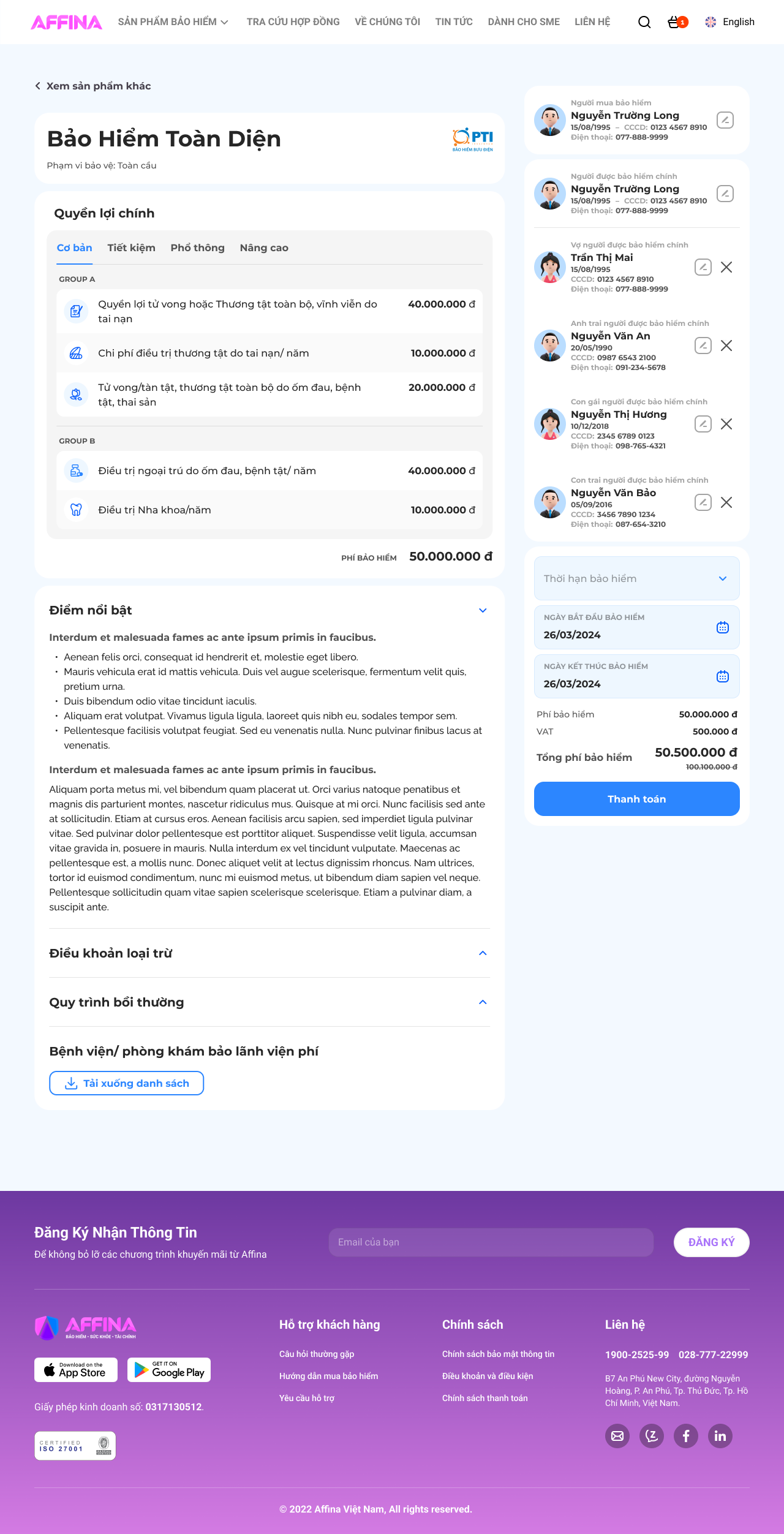
Confirm buyer and insured-member details in one place.
Scroll screen · open full ↗
The happy path stays readable because eligibility, family composition and upload issues are explained as focused recovery states.

STATE 01
Explain eligibility constraints at the moment they matter.

STATE 02
Show which member blocks the current configuration.
STATE 03
Confirm the action and keep the user inside the journey.

STATE 04
Identify missing rows and offer a direct recovery path.

STATE 05
State the file problem and provide a clear retry action.
* Every decision was backed by technical constraints and underwriting rules mapped beforehand.
01 — ALIGNING BUSINESS LOGIC
Clarified dependencies and required states before finalizing UI.
02 — DESIGNING ACROSS CHANNELS
Translated one family model across assisted and self-service channels.
03 — MAKING EDGE CASES READY
Specified validation, switching, pricing updates, and exception flows.